
Audio Demos
Screenshots can show you what a patch looks like. These demos let you hear what the DSP actually does.
Each one isolates a single module, renders it straight out of SynthEdit to disk, and pairs it with a note on the engineering behind what you’re hearing. Every clip is served losslessly (FLAC, with an MP3 fallback) — a demo about fidelity shouldn’t be judged through a lossy codec.
Oscillator HD — waveform purity
Section titled “Oscillator HD — waveform purity”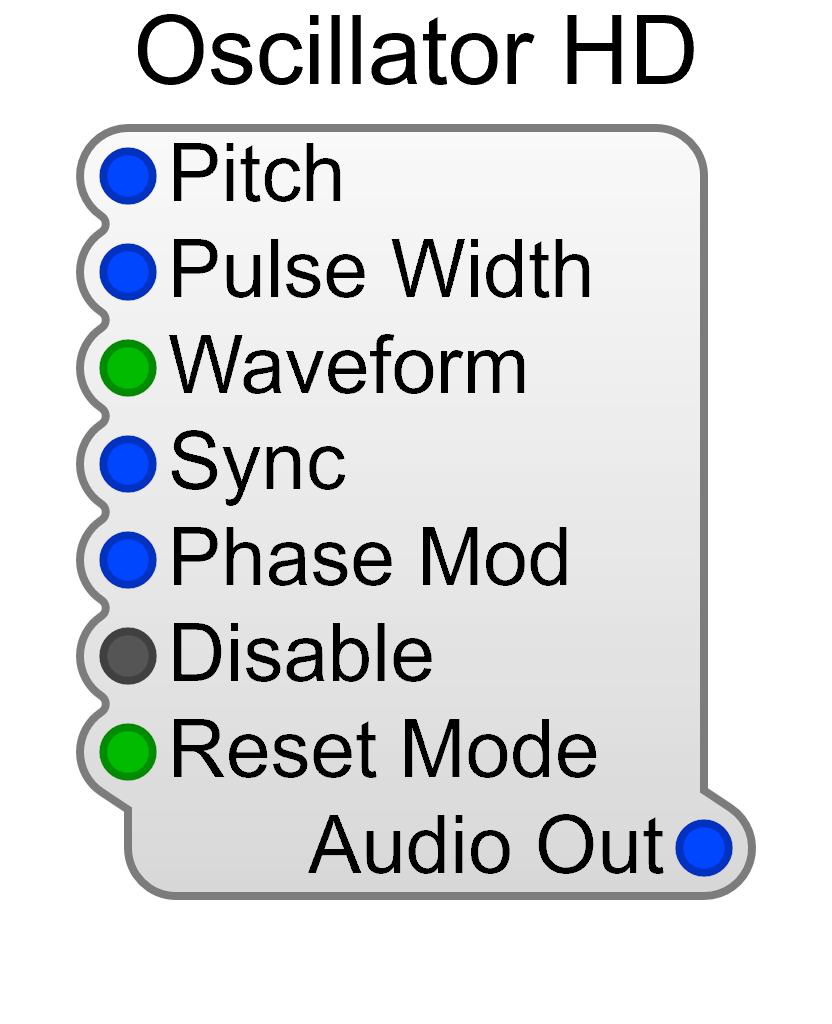
Oscillator HD
A sawtooth is the hardest waveform to synthesise cleanly: it contains every harmonic, not just the odd ones, so its upper partials pile up against the Nyquist limit. A naive digital oscillator folds those partials back down the spectrum as inharmonic tones that drift against the note instead of tracking it — the metallic, faintly detuned grit that gives cheap soft synths away. Oscillator HD generates band-limited waveforms so the harmonic series stays intact all the way up.
What to listen for: the demo alternates deep bass notes with mid-register chords. The sustained low notes are the real test — a sawtooth down there packs hundreds of harmonics into the top of the audible band. Listen behind the note for any metallic shimmer that fails to move with the pitch. It should stay clean and stable, the brightness simply thinning out as the harmonics run out of room.
The pitch, pulse width, sync and phase-modulation inputs are all audio-rate, so the oscillator can be driven as fast as the signal feeding it — which is what makes it usable as an FM operator as well as a voice.
See the Oscillator HD reference for the full pin list.
StateVar Filter — audio-rate modulation
Section titled “StateVar Filter — audio-rate modulation”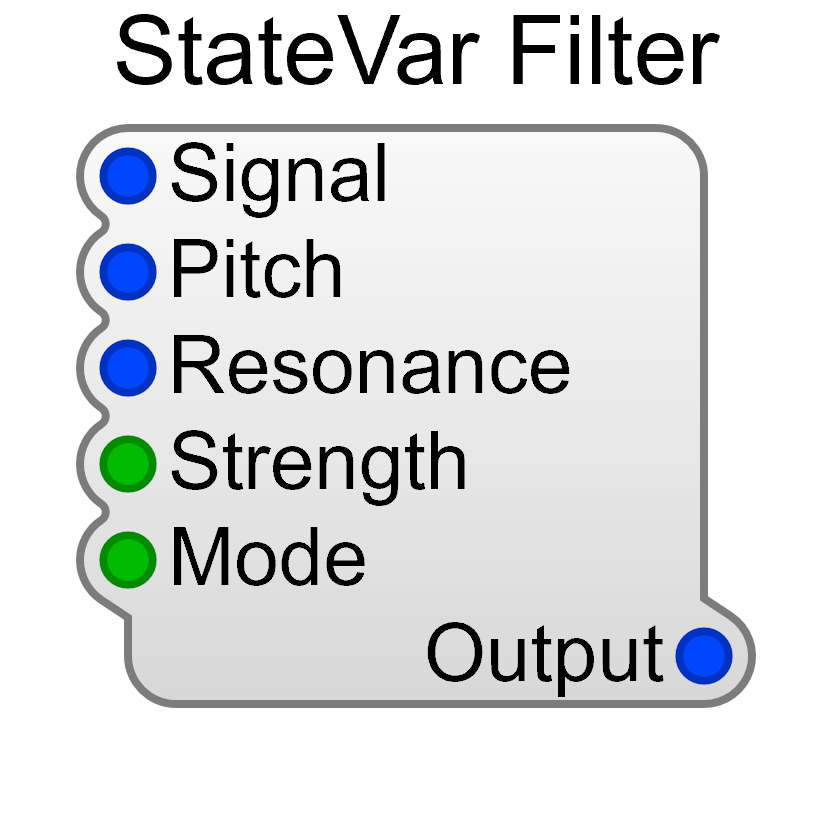
StateVar Filter (TPT)
This demo runs the filter where it is least forgiving: two-stage, resonance well up, with an envelope sweeping the cutoff on every note and the cutoff tracking the keyboard as well. High resonance acts as a magnifying glass on the cutoff parameter itself — if the frequency were only recalculated once per processing block, each step would ring the resonant peak and you would hear it as zipper noise or a gritty stair-step in the sweep. The StateVar Filter’s Pitch and Resonance are both audio-rate inputs, recalculated every sample, and its topology-preserving transform (TPT) design keeps the filter stable and its tuning accurate while those values move.
What to listen for: a bassline, with the resonant peak re-opening on every note — hundreds of short sweeps rather than one long one, which is the harder case. Each should glide continuously, with no stepping, buzzing or granularity riding on top of it, and the resonance should stay musical rather than spitting at the extremes.
Because cutoff is an ordinary audio-rate pin, nothing stops you patching an oscillator into it rather than an envelope — the filter will track it at full rate.
See the StateVar Filter reference for modes and parameters.
Wavetable Osc — morphing the table
Section titled “Wavetable Osc — morphing the table”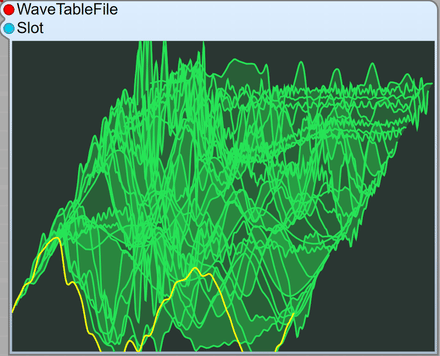
Wavetable Osc
A wavetable oscillator stores a stack of single-cycle waveforms in one file and plays back a position within that stack — the yellow trace in the display is the slot currently sounding. Two things make this awkward to do well. Each slot is a fixed-length cycle being replayed at whatever pitch you ask for, so its stored harmonics transpose along with it and the bright end of the table is where aliasing shows up first. And the position is itself a moving target: jump between neighbouring waves and the discontinuity arrives as a click, or as a stepped grind riding on top of the note. Wavetable Osc takes both Pitch and Slot as audio-rate inputs, so the position is resolved every sample rather than once per processing block. In this demo the ADSR is patched straight into Slot, so every note travels the depth of the table as it sounds.
What to listen for: the timbre morphing continuously as the envelope walks each chord through the table. The movement should be smooth — no clicks where the slot boundaries fall, no stepping or zipper noise riding on the sweep — and the bright end of the table should thin out cleanly rather than breaking into inharmonic fizz. The chords are deliberately unstable and slow, which gives the table time to travel and leaves the morph exposed.
Because Slot is an ordinary audio-rate pin, an LFO — or another oscillator — can drive it as readily as an envelope. The table itself is just a .wav; this one is assembled from single-cycle waves out of the free Adventure Kid (AKWF) library.
Phase Modulation — FM from two oscillators
Section titled “Phase Modulation — FM from two oscillators”Phase Mod (2-operator FM)
There is no FM module in SynthEdit, and there doesn’t need to be. This patch is two Oscillator HDs, both set to sine: one’s output runs through a Level Adj into the other’s Phase Mod input, and that is the whole synthesis engine. What makes it behave like a real FM instrument rather than a noise is that both oscillators take their pitch from the same MIDI to CV — the blue cable arriving at both Pitch pins below — so the modulator:carrier ratio is fixed no matter which key you press, and the harmonic relationship is locked to the note instead of drifting against it. The Level Adj in between is the modulation index, and it gets an ADSR of its own, separate from the one on the VCA, so the timbre can evolve on a different curve from the loudness. That split is what makes a struck-and-decaying FM tone possible.
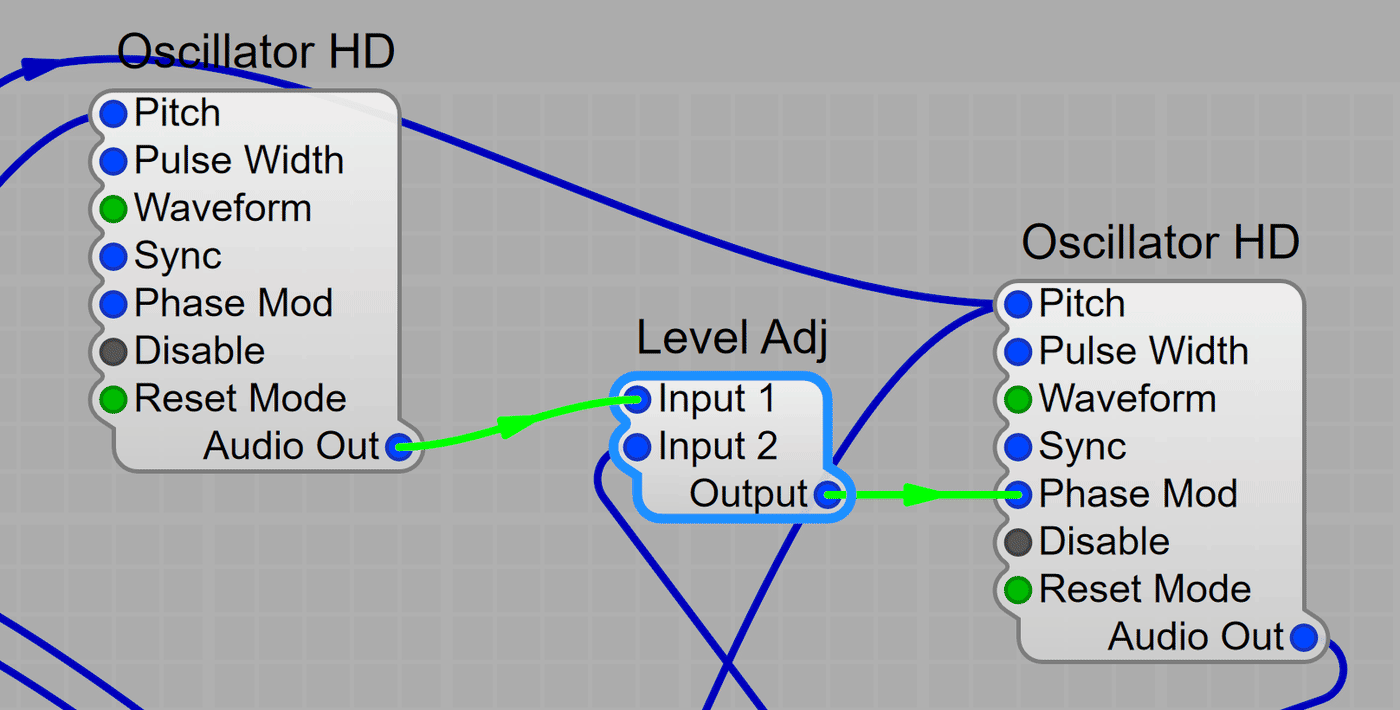
What to listen for: the bell-like attack collapsing into a much purer sustain as the index envelope closes — one voice, two envelopes. Partway through, the same root-fifth-ninth shape is played at three octaves in a row; because the ratio is locked to the keyboard, the low, middle and high versions should read as the same instrument moved, not as three different sounds. It ends on a low, middle and high tone struck together and left to ring.
Phase modulation and true frequency modulation produce the same spectra for simple ratios, but PM stays in tune when the index changes — which is why the Phase Mod pin, rather than the Pitch pin, is the one to reach for.
See the Oscillator HD reference for the Phase Mod pin, or the FM Synthesis guide for operator arrangements.
Sample Oscillator — multisampled playback
Section titled “Sample Oscillator — multisampled playback”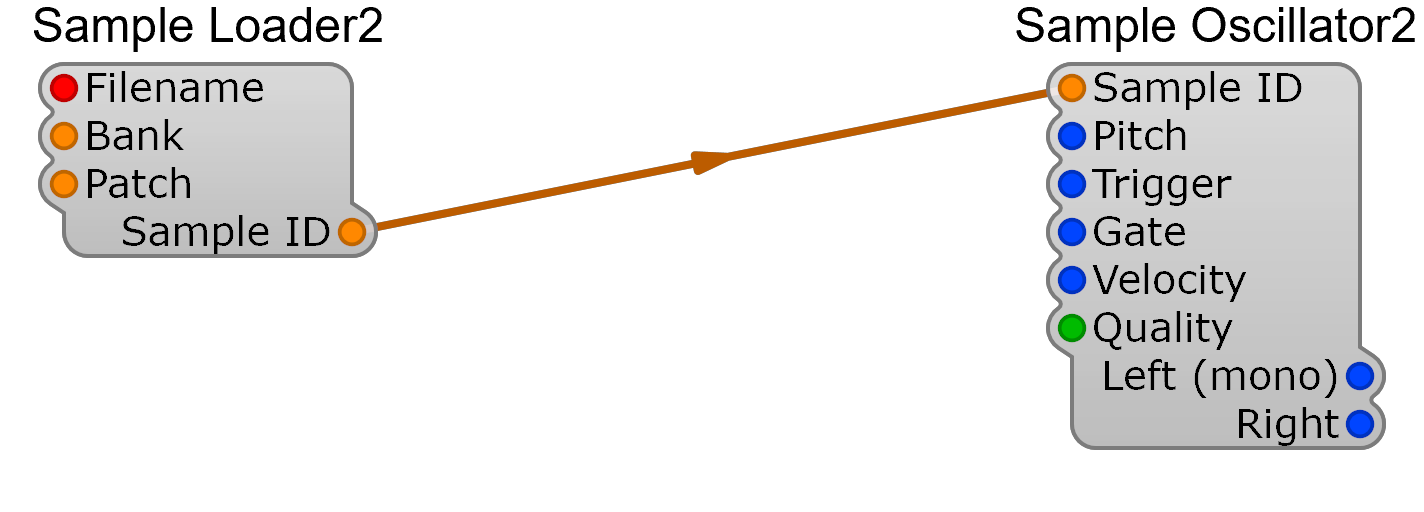
Sample Loader2 + Sample Oscillator2
This one is playing a SoundFont — an orchestral violin — through the Sample Loader2 and Sample Oscillator2 pair. A multisampled instrument is not one recording transposed across the keyboard; it is dozens of them, split across key ranges and across velocity layers, and the work is in the joins. Cross a key-zone boundary and the timbre has to stay continuous even though a different recording has just started playing. Cross a velocity boundary and the same applies, on an axis the player is driving expressively rather than in neat steps. On top of that every held note is running a sustain loop that has to be inaudible, and the Loader has to read the SF2’s own root keys, loop points and layer splits rather than guessing at them.
What to listen for: an expressive violin line covering just over two octaves, with the bow weight moving continuously across the whole velocity range. Follow it up and down and listen for any point where the tone jumps rather than travels — a sudden change of character mid-phrase is a zone boundary showing through. On the long notes, listen for a repeating cycle or a seam in the sustain, which is the loop point failing to hide.
Velocity does not control volume by itself here — Sample Oscillator2 uses it to pick between the SoundFont’s velocity layers, so an ADSR and VCA still do the amplitude shaping, exactly as they would for an oscillator.
See the Sample Oscillator reference for the full pin list on both modules.
Phase Distortion — a filter sweep with no filter
Section titled “Phase Distortion — a filter sweep with no filter”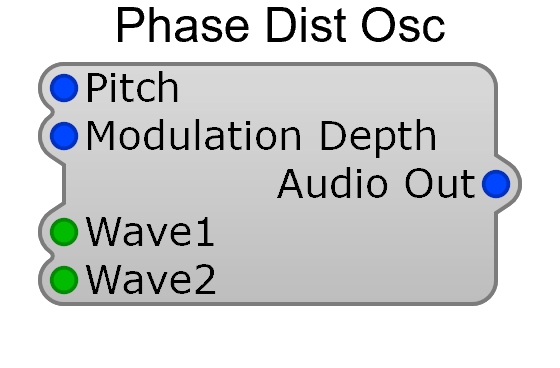
Phase Dist Osc
Phase distortion is the Casio CZ trick, and it gets its brightness from somewhere unusual: not from filtering the waveform after the fact, but from the way the oscillator reads its own wavetable. Ordinarily the read position climbs the cycle in a straight line and the stored wave comes out unchanged. Bend that line — race through part of the cycle and crawl through the rest — and the same table emerges with far more harmonics, because the waveform now turns corners it did not have before. Sweep the amount of bend and you get a bright-to-dull sweep that behaves like a filter opening and closing. There is no filter in this patch; the sweep is the oscillator. The amount of bend is the Modulation Depth pin, an audio-rate input recalculated every sample, and it has an ADSR of its own, separate from the one on the VCA — so brightness and loudness decay on different curves. Wave1 and Wave2 choose which tables get read, and the resonant options put a formant-like peak in the spectrum that travels with the sweep.
What to listen for: every note opens bright and collapses quickly into a much darker sustain. That whole movement is the read position bending, not a filter closing — worth remembering while you listen, because it is convincing enough to sound like a filter. Follow the decay for the resonant peak riding on top of it, and listen for the sweep staying continuous rather than stepping, since the depth is resolved every sample.
Because the harmonics are generated as the wave is read rather than removed afterwards, there is no resonant feedback path to run away — the peak can be pushed hard without the module self-oscillating the way a filter would.
See the Phase Distortion Oscillator reference for the waveform tables, or the Phase Distortion Synthesis guide for how the technique works.
Building these yourself
Section titled “Building these yourself”Every demo here was rendered from an ordinary SynthEdit project using the Wave Recorder module, which writes the output straight to a .wav file — no external recorder or DAW involved. The Rendering to Disk guide walks through the process.
More module demos will be added to this page over time.